Showing posts with label Softwere. Show all posts

Google Crhome 13

google crhome 13

Google Chrome 13 comes with a full range of competitive features, and is one of the fastest and most standards-compliant browsers available. It lacks some of the fine-tuning customizations in Firefox, but Chrome's minimalist interface, fast page-load times, and support for extensions make the browser appealing to the average user as well as to Google fanatics.

Google Chrome continues to mature from a lightweight and fast browsing alternative into an innovative browser on the precipice of a potential browsing revolution with the just-released Chrome OS. The browser that people can use today, Chrome 13, offers highly competitive features, including synchronization, autofill, and standards compliance, and maintains Google's reputation for building one of the fastest browsers available.

Chrome 13 represents a major milestone for the browser, but those expecting to see dramatic changes in major-point updates will be disappointed. For a while now, Google has been pushing features over what it calls milestone numbers, which means that as soon as new features are usable in the beta version of Chrome, Google will likely push them to all users in the stable edition.

There's no single big change in Chrome 13; instead there's a series of smaller updates that are still worthwhile. Where Chrome 11 debuted an HTML5 speech API that converts your speech into text via a microphone, and Chrome 12 offered hardware acceleration improvements, had better in-browser security, and notably removed support for the now-defunct offline tool Google Gears, Chrome 13 introduces Instant Pages. The feature is precaching technology based on open Web standards, so any developer can get sites to render faster in Chrome. Of course, it requires the site developer to actively implement it, not always an easy feat.

Another change in Chrome 13 improves History search results that show up in the location bar, which Google calls the Omnibox. As you type, relevant items from your browsing history will now appear.

Please note that there are at least four versions of Chrome available at the moment, and this review only addresses the "stable" branch, intended for general use. Chrome beta (Windows | Mac), Chrome dev (Windows | Mac), and Chrome Canary (Windows | Mac) are progressively less stable versions of the browser, and aimed at developers.

Installation
Chrome's installation process is simple and straightforward. If you download the browser from Google's Web site, it will ask you if you'd like to anonymously submit usage statistics to the company. This can be toggled even after the browser's installed by going to the wrench-icon Preferences menu and choosing Options, then Under the Hood, and checking or unchecking Help Make Chrome Better. Depending on your processor, the installation process should take less than 2 minutes.

Interface
Google's Chrome interface has changed remarkably little since its surprise debut in September 2008. Tabs are still on top, the location bar (aka Omnibox) dominates the minimalist design, and the browser has few visible control buttons besides Back, Forward, and a combined Stop/Reload button. Although some users may not like having the tabs on top, we find it to be aesthetically preferable because it leaves more room below for the Web site we're looking at.

One change has been to remove the secondary Page Options button and combine it with the Preferences wrench icon to create space for extension icons to the right of the location bar. As it currently stands, it could be better organized. Some controls, such as page zoom, are readily available. Others, such as the extension manager, are hidden away under a Tools submenu.

Chrome's extensions are fairly limited in how they can alter the browser's interface. Unlike Firefox, which gives add-on makers a lot of leeway in changing the browser's look, Chrome mandates that extensions appear only as icons to the right of the location bar. The benefit is that this maintains a uniform look to the browser, but it definitely limits how much the browser can be customized. Chrome doesn't support sidebars, either, although other Chromium-based browsers (such as Comodo Dragon) do offer the feature. There is an option in Chrome's about:flags, a series of experimental features, that lets you move the tabs to a sidebar.

A minor change in Chrome 11 was to move settings pages to their own tab, rather than a dialog box. Chrome 12 extended that configuration to Chrome's synchronization feature.

Even with its limitations, the interface design has remained a contemporary exemplar of how to minimize the browser's screen footprint while keeping the browser easy to use and versatile.

Features and support
Chrome 13's features are accessible from the Preferences menu via the wrench icon on the right side of the navigation bar. Version 13 offers a complete range of modern browsing conveniences. The basics are well-represented, including tabbed browsing, new window creation, and a private browsing mode that Google calls Incognito, which disables cookie tracking, history recording, extension support, and other browsing breadcrumbs.

Chrome is based on WebKit, the same open-source engine that powers Apple Safari, Google's Android mobile platform, and several other desktop and mobile Web-browsing tools. However, Chrome runs on a different JavaScript engine than its WebKit cousins, and there are other changes as well.

In Chrome 10, the biggest improvement was to Chrome's JavaScript engine. The new Crankshaft version of Chrome's V8 JavaScript engine, Google claims, was 66 percent faster than the one in Chrome 9. The importance of JavaScript performance has grown dramatically as developers have been writing not just Web sites but full-featured Web applications in JavaScript. Check out CNET's own benchmarks of the browser below in the Performance section.

Chrome 11 gave us the aforementioned HTML5 speech-to-text API. The input is recorded as text, and the browser automatically inserts the text into the available form field. At the time the feature was launched, it was only officially available on the Google Translate page when translating from English into another language. That's expected to change as developers begin to incorporate the API into their sites.

You can test it by going to Google Translate and clicking the microphone icon in the lower right corner of the text field. At the time of writing, the voice-to-HTML feature appeared to work only with English.

While the feature is interesting to find in a browser, there's more behind Google's decision to include it. By gaining a speech-to-text feature, Chrome OS instantly provides a modicum of accessibility for users who have difficulty with keyboards. When the browser is the operating system, making it so people can speak to the computer and have the computer know how to interpret that speech is a quick way to ensure a broader appeal.

Along with hardware-accelerated 3D CSS in Chrome 12, we also got some interesting security improvements. You can now delete Flash cookies from inside Chrome, which makes sense given that Chrome comes with Flash built in, and there's a new Safe Browsing protection against downloading malicious files. Chrome's Web app support, which debuted in December 2010, now includes the ability to launch Web apps from the location bar. This gives keyboard jockeys a bit more power to avoid mousing around, more readily apparent in Chrome OS but nevertheless good to have in the regular old Chrome browser.

Mac users now get a warning window when using Command-Q to close the browser. And finally, Google Gears support was removed in Chrome 12 in preparation for a new offline option for Google Apps. How this will work, and when it will be implemented, remains to be seen.

Print preview, formerly a small but glaring hole in Chrome's feature list, now has been fixed. Chrome stable for Mac still doesn't have the feature, which is powered by the PDF reader that comes built into Chrome.

Chrome's tabs remain one of the best things about the browser. The tabs are detachable: "tabs" and "windows" are interchangeable here. Detached tabs can be dragged and dropped into the browser, and tabs can be rearranged at any time by clicking, holding, dragging, and releasing. Not only can tabs be isolated, but each tab exists in its own task process. This means that when one tab crashes, the other tabs do not. Though memory leaks are a major concern in Chrome when you have dozens of tabs open, we found sluggish behavior and other impediments weren't noticeable until after there were more than 30 tabs open. That's not an immutable number, though, and different computers' hardware will alter browser performance.

Some of the basics in Chrome are handled extremely intuitively. In-page searching works smoothly. Using the Ctrl-F hot key or the menu option, searching for a word or phrase will open a text entry box on the top right of the browser. Chrome searches as you type, indicating the number of positive results and highlighting them on the page.

Account syncing is another area where Chrome excels. Using your Gmail account, Chrome will sync your themes, preferences, autofill entries, extensions, and bookmarks. You can toggle each of those categories, too. It does not yet offer password syncing, although the password manager offers a smart show-password option that keeps it visually separate from the site it's associated with.

Chrome also offers a lot of privacy-tweaking settings. In the Options menu, go to the Under the Hood tab. From here, you can toggle and customize most of the browser's privacy and security settings. Cookies, image management, JavaScript, plug-ins, pop-ups, location information, and notifications can be adjusted from the Content Settings button. This includes toggling specific plug-ins, such as the built-in Adobe Flash plug-in or the Chrome PDF reader (which is deactivated by default).

Like Firefox, Chrome gives broad control over search engines and search customizations. Though this doesn't sound like much, not all browsers allow you to set keyword shortcuts for searching, and some even restrict which search engine you can set as your default. Chrome comes with three defaults to choose from: Google, Bing, and Yahoo.

The Chrome extension manager, bookmark manager, and download manager all open in new tabs. They allow you to search their contents and throw in some basic management options like deletion, but in general they don't feel as robust as their counterparts in competing browsers. For example, URLs in the bookmark manager are only revealed when you mouse over a bookmark, and you must click on one to get the URL to permanently appear. That's an extra click that other browsers don't require.

Two other low-profile but well-executed features in Chrome are autoupdating and translation. Chrome automatically updates when a new version comes out. This makes it harder to revert back to an older version, but it's highly unlikely that you'll want to downgrade this build of Chrome since this is the stable build and not the beta or developer's version. The second feature, automatic translation of Web pages, is available to other browsers as a Google add-on, but because it comes from Google, it's baked directly into Chrome.

Chrome is also a leader in HTML5 implementation, which is uneven because of the continuing development of HTML5 standards. This will become more important in the coming months and years, but right now it doesn't greatly affect interaction with Web sites.

The jump from Chrome 13 beta to stable brings more than 5,200 improvements and bug fixes, along with 13 security fixes marked as "high" priority. Among the problems fixed were a cross-origin script injection and cross-origin violation in base URI handling that netted $1,500 awards for the independent researchers who discovered them. The bottom line is: Chrome continues to get safer as threat vectors are discovered and patched.

In the realm of security, besides allowing you to disable JavaScript, Chrome will autoblock Web sites that are known to promulgate phishing attacks and malware threats or be otherwise unsafe. The usefulness of this depends on Google's ability to flag Web sites as risky, though, and so it's recommended to use an add-on like the Web of Trust extension or a separate security program to block threats.

Performance
Based on the open-source WebKit engine and Google's V8 JavaScript engine, Google Chrome debuted to much fanfare because of its rocketing rendering speeds. Almost three years down the line, that hasn't changed, and the stable version of Chrome remains one of the fastest stable browsers available. The less stable versions, with their more recent improvements and bug fixes, are often faster.

Note that to effectively use hardware acceleration, you must make sure that your graphics card drivers are up-to-date.

Nevertheless, Chrome remains one of the fastest browsers available, and its rapid version update rate ensures that it is consistently competitive.

Conclusion
It's hard to tell which is faster, user adoption of Chrome or its development. Certainly the two are linked, and due in no small part to Google's ability to lay claim to the "fastest browser" title, even when it may not be strictly justified. The rest of Chrome's appeal lies in its clean, minimalist look, and competitive features that justify its still-increasing market share. Chrome is a serious option for anybody who wants a browser that gets out of the way of browsing the Web.


Click this buton for download


Read More...

Download Opera 11

opera11The second-oldest browser currently in use, Opera debuted way back in 1995 and has recently undergone a major overhaul. No longer the quirky choice of enthusiasts, Opera has developed into a robust, full-featured suite of browsing tools.
Opera covers the basics with tabbed browsing, mouse-over previews, a customizable search bar, advanced bookmarking tools, and simple integration with e-mail and chat clients. Mouse-gesture support, keyboard shortcuts, and drag-and-drop functionality round out the essentials.

Installation
Installing Opera is a fast and short process, taking less than two minutes. Many of Opera's built-in features require creating a MyOpera account, but the browser will only prompt you to do so when you use them for the first time--it's not required to browse.

Tap the "Options" button on the first install screen to reveal configuration tweaks. Besides changing the browser's default language and install path, you can also install for just the currently-signed on user, or choose to install Opera directly to an external device. It's a great, simple way to create a portable version of Opera for a USB key.

Interface
Opera's interface keeps the same look that debuted in Opera 10.50, with a condensed menu button in the upper left corner, tabs on top, and a translucent status bar on the bottom that hosts buttons to reveal Opera's Panels, and to activate Link, Unite, and Turbo. The bottom right corner of the status bar sports a dedicated zoom button

Click this buton for download


Read More...

Download Firefox 6

firefox6
Firefox 6, based on Gecko 6.0, will be released on August 16, 2011 .

The latest version of Firefox 6.0 has the following changes:

* The address bar now highlights the domain of the website you’re visiting
* Streamlined the look of the site identity block
* Added support for the latest draft version of WebSockets with a prefixed API
* Added support for EventSource / server-sent events
* Added support for window.matchMedia
* Added Scratchpad, an interactive JavaScript prototyping environment
* Added a new Web Developer menu item and moved development-related items into it
* Improved usability of the Web Console
* Improved the discoverability of Firefox Sync
* Reduced browser startup time when using Panorama

Click this buton for download


Read More...

Microsoft Office 2010

Microsoft Office 2010Microsoft Office 2010 (also called Office 2010 and Office 14) is a productivity suite for Microsoft Windows, and the successor to Microsoft Office 2007. Office 2010 includes extended file format support, user interface updates, and a changed user experience. A 64-bit version of Office 2010 is available, although not for Windows XP or Windows Server 2003.

On April 15, 2010, Office 2010 was released to manufacturing. The suite became available for retail and online purchase on June 15, 2010. Office 2010 is the first version to require product activation for volume license editions.

Office 2010 marks the debut of free online versions of Word, Excel, PowerPoint, and OneNote, which work in the web browsers Internet Explorer, Firefox, Chrome and Safari, but not Opera. Office Starter 2010, a new edition of Office, replaced the low-end home productivity software, Microsoft Works.

Microsoft's update to its mobile productivity suite, Office Mobile 2010, will also be released for Windows Phones running Windows Mobile 6.5 and Windows Phone 7. In Office 2010, every application features the ribbon, including Outlook, OneNote, Publisher, InfoPath, SharePoint Workspace (previously known as Groove), and the new Office Web Apps.

New features and improvements

Office 2010 is more "role-based" than previous versions. There are features tailored to employees in "roles such as research and development professionals, sales people, and human resources." In its Internet implementation, Office 2010 incorporates features of SharePoint Server and borrows from "Web 2.0" ideas.

featured Microsoft office 2010

Microsoft Office 2010 includes updated support for ISO/IEC 29500:2008, the International Standard version of Office Open XML (OOXML) file format. Office 2010 provides read support for ECMA-376, read/write support for ISO/IEC 29500 Transitional, and read support for ISO/IEC 29500 Strict. In its pre-release (beta) form, however, Office 2010 only supported the Transitional variant, and not the Strict. The intent of the ISO/IEC is to allow the removal of the Transitional variant from the ISO/IEC compliant version of the OOXML standard. Microsoft Office 2010 supports OpenDocument Format (ODF) 1.1, which is an OASIS standard.

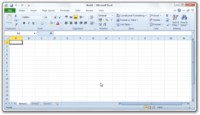
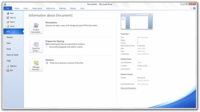
New features also include a built-in screen capture tool, a background removal tool, a protected document mode, new SmartArt templates and author permissions. The 2007 "Office Button" was replaced with a menu button that leads to a full-window file menu, known as Backstage View, giving easy access to task-centered functions such as printing and sharing. A notable accessibility regression from 2007 is that the menu button scores worse with the Fitts's law accessibility calculation than previous versions. A modified Ribbon interface is present in all Office applications, including Office Outlook, Visio, OneNote, Project, and Publisher. Office applications also have functional jumplists in Windows 7, which would allow easy access to recent items and tasks relevant to the application. Features of Office 2010 include:

featured microsoft office 2010

Ribbon interface and Backstage View across all applications
Background Removal Tool
Letter Styling
The Word 2007 Equation editor is common to all applications, replacing Microsoft Equation Editor 3.0
New SmartArt templates
New text and image editing effects
Screen Capturing and Clipping tools
Live collaboration functions
Jumplists in Windows 7
New animations and transitions in PowerPoint 2010
View Side by Side/Synchronous Scrolling in Word 2010

A new feature in Microsoft Office 2010 is Outlook Social Connector, which allows users to connect to and receive updates from their social network inside Microsoft Outlook. When users view their emails a name, picture, and title is available for the person they are contacting. Upcoming appointments can also be viewed with this new feature and users can request friends. Outlook Social Connector currently supports Facebook, LinkedIn, MySpace and Windows Live Messenger.

featured microsoft office 2010

The Volume edition can be activated using a Multiple Activation Key (MAK) which is limited by the number of times a machine can activate when connected to Microsoft's servers, or using a Key Management Server (KMS) which requires activation every 180 days.


Click this buton for download

Read More...

WinRAR 32bit

download winrar 32bit full freeWinRAR is a lightweight, flexible, and easy-to-use archiving utility that can unpack most archive formats, as well as compress to both RAR and ZIP. Free to try for 40 days ($29 for single license), WinRAR is definitely top dog in the compression category.

WinRAR's interface is about as simple as it gets. Start creating (or add to) an archive by dragging and dropping your files into the interface or by browsing through the Folder Tree side panel (when enabled). From there, the most common functions are laid out in the form of colorful, mostly intuitive icons, which can all be customized by downloading themes from the company's Web site. Add files to, Extract, Test, Delete, or even Repair archives right from the main interface. Drop-down menus house the program's more advanced features, including self-extracting archives, archive locking, benchmarking, and autodeletion of temp files.

winrar 32bit

In our performance tests, both creating and unpacking archives was blazingly fast. Compression ratios varied depending on file type, but in general seemed on par with or slightly better than other archiving programs. Overall, WinRAR is a winner because of its speed, simple interface, flexibility with file formats, and powerful advanced features.


Click this buton for download

Read More...

DVD Photo Slideshow Professional

DVD Photo Slideshow Professional Photo Slideshow is an all-in-one and easy-to-use DVD photo slideshow and Video Maker.DVD Photo Slideshow Professional can help you create dynamic DVD, VCD, SVCD, Blu-Ray DVD slideshows watched on TV, make animating Flash slideshow (Flash Video) for posting to your website, generate MPEG, MPEG-4, 3GP, MOV, AVI, FLV, SWF, MKV, H.264, MP4, MPEG-1, MPEG-2, HD video video slideshow for mobile devices such as iPod, iPad, iphone, PSP or other video sharing websites like YouTube, MySpace, Facebook and blog, design your online playable web Flash photo album. With a few simple mouse clicks, DVD Photo Slideshow creates an eye-catching photo slide show with background music,animating DVD menu, beautiful theme, Pan&Zoom and dynamic transition effects. DVD Photo Slideshow supports DVD, SVCD, VCD 2.0, Blu-ray DVD,H.264, MKV, AVI, MOV, MPEG-1, MPEG-2, MPEG-4,MP4, HD video, FLV (Flash for Video) as the output format, supports over 360 dynamic transition effects, Pan & Zoom, anti-flickering filter, supports adding background music directly from music CD and adding text Macro such as photo album name, photo file name, date, etc. It supports sub-title and art clips for each photo which adds dynamic special effects for the slideshow. It also supports voice recording, annotation, audio music trimming and timeline control for easier audio/photo synchronization. With DVD Photo Slideshow Professional, you can create your favorite dynamic slideshows on DVD/VCD/SVCD/Blu-ray DVD easily, make all kinds of animating photo slideshow videos freely, design online playable web photo album with your photo collection for your website at your pleasure.

screenshoot DVD Photo Slideshow Professional

What's new in this version: Version 8.05 fixes imperfect quality in profiles of high resolution Blu-ray DVD or HD video; improves security access in explorer bar of main window.

Click this buton for download

Read More...

Real Player

real playerRealPlayer has been around since 1995, which is practically the dawn of the Web. It started as a basic media player, becoming the preferred embedded app for streaming audio and video as sites started to offer that functionality, and eventually morphing into the easy-to-use, fully functioning beast we have today.
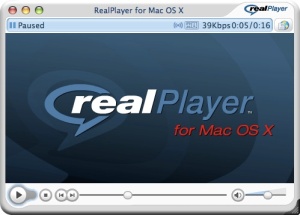
The previous version of RealPlayer already offered an easy, one-click solution for downloading unprotected videos for the Web. Another click transcodes those same videos to your portable device without a bit of extra effort on your part when it comes to fiddling with tricky digital format settings.

The program also incorporates a very simple-to-use video-trimming tool that allows you to select only certain bits of a video to transfer or share, and there are one-click buttons that let you share with a variety of social sites, such as Facebook and YouTube. In addition, you have the option to strip the audio out of the videos and save those as separate files.

review Real Player

The latest version of the software adds even more devices to the ever-expanding list of compatible handsets. Plus, RealPlayer now shows USB-connected smartphones and cameras inside the library in the main app window, allowing users to quickly and easily transfer content to the devices via drag-and-drop. Perhaps more compelling, though, is a new back-end feature that simplifies the process of getting photos and videos off of those devices and organized on your PC. In our testing, content was slow to load, but it's a welcome feature nonetheless.

Best of all, you can do all this for free. RealPlayer only requires a license fee if you want to upgrade to the Plus version in order to access additional features, such as H.264 conversion and DVD burning.

Download Real Player

download real player
Read More...

Internet Download Manager 6.05 Full

download IDM 6.05 full

my first ever share about internet download manager ver 5.40 this time I will share about 6.05 idm
IDM re-released the newest version, the IDM 6.05.
What's new?
  1. Fixed compatibility problems with different browsers including Google Chrome.
  2. Improved FLV grabber to save videos from web players on YouTube, WOW! Google Video, MySpace TV, and other popular sites.
As we all know, the IDM is very diligent in updating their software, but no significant changes, just fixes and improvements only.
Install IDM experienced Fake Serial number? Follow these tips to activation of the IDM for the full version.
  1. Install IDM, then close. (make sure the IDM is not currently running)
  2. Copy and paste the crack files (in replace) who was in the package to download to the folder you install IDM. For example: C: \ Program Files \ Internet download manager.
  3. Run (click 2x) his reg file.

Download Internet Download Manager 6.05 Full Klick here ==>>
Read More...

Anti Mosquito

This software produces mosquito repellent ultra sound.
anti mosquito
This sound causes an undesirable effect on mosquitos,
That's why this software drives away mosquitos from your computer.

The sound range which is this program produce beyond the audible range of humans. That's why you can't hear it. Pests and other animals can through hear the very same frequency.

This sound produces an undesirable effect on mosquitos and other pests thus restrain them from flying.
This ultra sound is completely safe from damaging your hearing

Download
Read More...

Revo Uninstaller

Revo UninstallerRevo Uninstaller Pro helps you to uninstall software and remove unwanted programs installed on your computer easily! Even if you have problems uninstalling and cannot uninstall them from "Windows Add or Remove Programs" control panel applet.

Revo Uninstaller is a much faster and more powerful alternative to "Windows Add or Remove Programs" applet! It has very powerful features to uninstall and remove programs.

* No more stubborn programs
* No more installation errors
* No more upgrade problems
* Remove programs easily

With its advanced and fast algorithms, Revo Uninstaller Pro analyzes an application's data before uninstall and scans for remnants after the uninstall of a program. After the program's regular uninstaller runs, you can remove additional unnecessary files, folders and registry keys that are usually left over on your computer. Revo Uninstaller Pro offers you some simple, easy to use, but effective and powerful methods for uninstalling software like tracing the program during its installation.

Revo Uninstaller Pro has a very powerful feature called Forced Uninstall. Forced Uninstall is the best solution when you have to remove stubborn programs, partially installed programs, partially uninstalled programs, and programs not listed as installed at all!

To remove a program completely, and without leaving a trace, you can monitor all system changes made during its installation, and then use that information to uninstall it with one click only – simple and easy!

Look At the page Here==>>
Download
Read More...

UBitMenu: Classic Menu and Toolbars in Office 2007 / Office 2010

ubitmenuUBitMenu is a simple way for professional Microsoft® Office users to get accustomed to the new ribbon based interface of Office 2007 without any performance loss. It will emulate / activate the Office 2003 menu in Word 2007, Excel 2007 and Powerpoint 2007 (Word 2010, Excel 2010, Powerpoint 2010).

If you have spent agonizing minutes trying to find features in Word, Excel or PowerPoint ribbons that would have been at your finger tips in Office 2003 you will soon appreciate UBitMenu, especially when you have to finish an important document under time pressure.

UBitMenu does not hide the ribbon interface, but adds the classic menu as a new ribbon. Gradually you will realize that many functions are easier to handle using Office ribbons. Microsoft® has done a good job there.

ubit menu

UBitMenu Advantages

* based on standard Microsoft® Office-AddIn technology
* contains no active code elements (no virus scanner hassle)
* no VSTO or .NET-environment or configuration needed
* no dependencies
* extremely small file size
* no impact on performance

Advantages Ubit Menu

Download and Installation

UBitMenu can be installed with standard user rights on any Windows® Office 2007 / Office 2010 environment. You may need to save the file to a trusted location on your hard disk before you run the setup.

The setup application will install UBitMenu AddIn-files for Excel, Word and PowerPoint. All changes are registered for uninstallation. We have checked all setup files for viruses (McAfee Secure). Your scanner will recheck the files during installation.

To uninstall our software please use the 'Software' applet in the Windows Control Panel. The name of this applet may be language specific. You will find an entry for UBitMenu there.

download and instalation ubitmenu

UBitMenu with Office 2010

UBitMenu setup will integrate seamlessly with the Office 2010 Standard, Professional and Enterprise Versions. If you would like to use UBitMenu with a "click to run" Office 2010 please order a custom installation kit per mail.

If you update from Office 2007 with UBitMenu installed, UBitMenu will be automatically integrated in Office 2010. It is not necesarry to reinstall

ubit menu from word, excel, power point

Dowbload from site go Here
Download from Ziddu here
Read More...

Internet Download Manager 5.40

Internet Download Manager is a tool for increasing download speeds by up to 5 times,and for resuming, scheduling, and organizing downloads. The program will resume unfinished downloads due to network problems or unexpected power outages. The program features a full-fledged site grabber that downloads files that are specified with filters, for example,

All pictures from a Web site, different parts of Web sites, or complete Web sites for offline browsing
The program supports HTTP, HTTPS, FTP and MMS protocols, and has an adaptive download accelerator for MP3 audio, FLV and MPEG video files.
Internet Download Manager can be used to download Flash video from YouTube, Google Video, MySpaceTV, and other popular sites.
It integrates into Opera, Mozilla, Internet Explorer, Firefox, MSN, AOL, and into any application that uses FTP, or HTTP protocols.
Internet Download Manager fully supports Windows Vista and Internet Explorer 8.


download
Read More...

Keyfinder

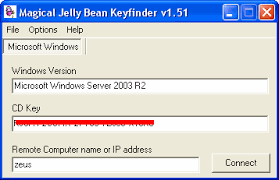
The Magical Jelly Bean Keyfinder is a freeware utility that retrieves your Product Key (cd key) used to install windows from your registry. It also has a community-updated configuration file that retrieves product keys for many other applications. Another feature is the ability to retrieve product keys from unbootable Windows installations.

Download Now


Blog AdvertisingBlog Advertising - Advertise on blogs with SponsoredReviews.com
Read More...

Winrar 393


WinRAR is a powerful archive manager. It can backup your data and reduce the size of email attachments, decompress RAR, ZIP and other files downloaded from Internet and create new archives in RAR and ZIP file format. You can try WinRAR before buy, its trial version is available in

Download Now


Blog AdvertisingBlog Advertising - Advertise on blogs with SponsoredReviews.com
Read More...

Clock From Your Dekstop


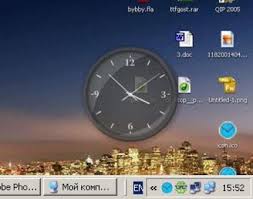
View the time, seconds, month, week and day in different skins in the Windows system tray clock. Free Desktop Clock is the advanced replacement for standard Windows tray clock. Over 50 skins are included in the distribution.It`s also an atomic-time synchronizer.

Download now


Blog AdvertisingBlog Advertising - Advertise on blogs with SponsoredReviews.com
Read More...

Rainlendar - A customizable desktop calendar

Image
Rainlendar is a feature rich calendar application that is easy to use and doesn't take much space on your desktop. The application is platform independent so you can run it on all major operating systems: Windows, Linux and Mac OS X.
 
The appearance can be customized with skins and you can even mix different skins together.
 
It is possible to use Rainlendar with other calendar applications too. Rainlendar uses the standard iCalendar format to store its events and tasks so you can easily transfer them between applications. You can also subscribe to online calendars and task lists including the Google Calendar* and Remember The Milk* and edit your Outlook** appointments directly in Rainlendar.
 
Rainlendar is a unicode application and supports localization so you can use it in your own language. 
   
Image
All the future events are shown in a separate list where you can see the week's events at one glance. You can decide how many days in advance you want to see in the list. Different events can have a different appearance in the list so you can easily spot the important events from the others. The icons in the calendar are also available in the event list and other windows to make it easier to separate the events.
 
Image
You can also have a separate list for your long term tasks. The task list can be arranged several ways so that you can keep it better organized. You can also set a due date for the tasks to make sure you'll remember to do them on time.
 
You'll also get an alarm when an event or task is due so that you don't miss it. The alarm can be defined to be set off any duration before the actual event so you have time to prepare for it.

And that's not all. Check the list of features and the gallery for a better overview of all the things Rainlendar can do. If you find it useful go to the download page and get yourself a copy.
 
* Network shared calendars, Remember The Milk, Google Calendar and Outlook support are available only in the Pro version.
** The Outlook support works only in the Windows version.


Download Now


Blog AdvertisingBlog Advertising - Advertise on blogs with SponsoredReviews.com
Read More...

windows blind 6.0.2


Windows Blinds is a software application to change the look of your windows look like another operating system. Many skin that can be used here that serves to beautify the look of the windows to be in accordance with your keiginan. 6.0.2 blind windows are safe in use and does not make windows slow because it was in testing. Besides Windows Blinds does not alter any system files in the windows and could return to the standard with ease. other than that Windows Blinds 6 can be in use in windows vista because it has been doing testing on the vista itself.
desktop will move with a beautiful view and beautiful animation for if you do not have the software please line below it and the crack must


Windows Blind 6.0.2 Download Now
Crack Windows blind 6.0.2 Download Now


Blog AdvertisingBlog Advertising - Advertise on blogs with SponsoredReviews.com
Read More...

Windows 8

Everybody’s got a wish list for what they want Windows to be. As a technical beta-tester for Microsoft and the author of the Windows 7 Power Users Guide, I’ve had a great insight over the last few years into what Windows could have been, having tested features that were later dropped from betas, and I’ve read a great deal of private feedback from other technical testers over the years.

In this series I hope to cover everything I believe Windows 8 will need to be, and what features it should have to truly compete against Google Chrome OS on the netbook and PC, and with iPhone OS and Android on the tablet.

One click install

Microsoft have gone to great lengths over the last few years to make all operations in Windows simpler and quicker to use. Cutting down the amount and volume of mouse clicks necessary to perform tasks.
This approach has been moderately successful so far and connecting to a wi-fi network in Windows 7 is a great example of how the one-click approach can work.

One single-click solution that Windows is lacking though has been highlighted by Apple to great effect with their app store. For one reason or another the Windows installer still takes users through too many steps to install software.

This simple solution, that Apple and Google have used now to great effect has been around on Linux for years, and is widely regarded as one of that OSes finest features.
Obviously with some packages there are options, Microsoft Office for example is a large package and Google Earth will optionally install the Google Toolbar for Internet Explorer. Having an installer package that will enable a quick single-click install is what Windows needs if it’s to compete in the same consumer market as Android and Apple-powered devices in the home.

Only by making installing programs as easy in Windows as it is with other operating systems can Microsoft be seen by their millions of users to be offering an experience that’s as good and easy to use.


Finger Friendly

The tablet is reborn. Apple have now launched their much anticipated iPad and this can only mean that another ageing way to interact with technology will be invigorated and soon, everybody will be jumping on the bandwagon.
The introduction of multi-touch computing with Windows 7 was a good start, but sadly Windows 7 is still not at OS you can use simply in that manner. The ageing interface of drop-down menus and the window control buttons will either have to be redeveloped, redesigned or dropped completely.

Some people would say that this could pose problems for running legacy software on the PC, but the introduction of XP Mode in Windows 7 went some way towards rectifying this. Microsoft need to announce that all new PCs from the end of 2012 need to have hardware support for virtual machines, and this gives the hardware manufacturers plenty of time to make sure their processor and motherboard ranges support it.

iPhone OS and Android, while nowhere near as advanced or as flexible and pioneering completely touchable interfaces. If Microsoft are serious about pushing multi-touch forwards, they need to address the main interface structure of Windows urgently.
Cheap

One of the biggest barriers to owning Windows is the price. Fortunately with Office 2010 Microsoft are trying out a new click-to-install format, where you can start with a free version of the Office suite with limited functionality that you can expand by making micro-payments for the extra features you need.

Should this work, and there’s no reason why it won’t, this model could be ported to Windows and by the time Windows 8 launches in 2012 we could be looking at the first free version of Windows.


Blog AdvertisingBlog Advertising - Advertise on blogs with SponsoredReviews.com
Read More...
 
Copyright (c) 2010 I'm listed in Technology by Bloggermint
Powered by : Cibaringkeng